Weekly Content Planning for In-House Social Media Managers
A Monday-to-Friday planning cadence for one brand: what gets decided when, and who signs off.
Turn this page into a campaign built for your brand.
Connect Superdirector to ChatGPT and it adds current social-video references, public-video analysis, Brand DNA, and a ready-to-send campaign brief.
By Bell Chen, founder of Superdirector — how the analysis works.
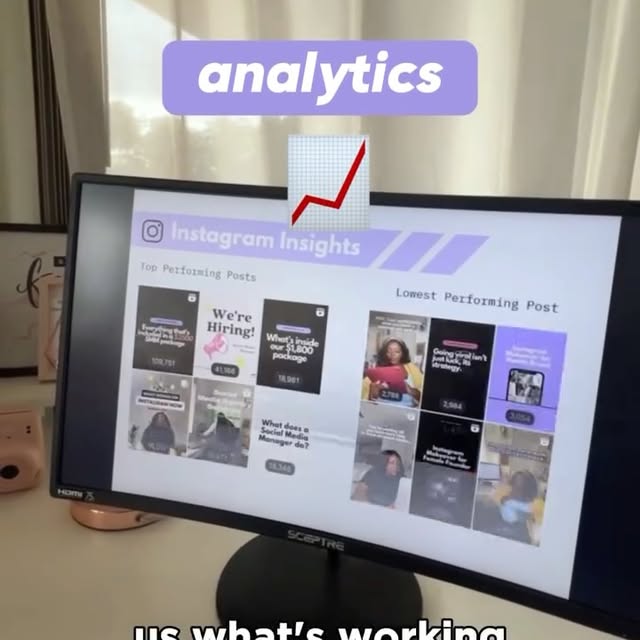
What gets decided when across the week
Weekly planning fails in the same place most weeks: the week opens on a blank calendar and closes with whatever happened to get filmed. Fixing the decision points, niche scan Monday through filming handoff Friday, is what turns a scramble into a plan.
Where This Helps In-House Social Media Managers
In-house social media managers carry a unique operational burden that distinguishes their workflow from agency or freelance counterparts. They are embedded within a single brand, which means every piece of content must pass through a stakeholder approval chain that typically includes marketing leadership, brand managers, legal review, and sometimes executive sign-off. That approval friction can add days to every content cycle, which means by the time a trend-inspired piece is approved, the trend may already be past its peak. Simultaneously, in-house teams face pressure to demonstrate measurable ROI to justify their budget — abstract metrics like "brand awareness" are increasingly insufficient when the CFO is asking for pipeline contribution numbers. The workflow tools that make the biggest difference for in-house teams are the ones that compress the ideation-to-approval timeline while building the data layer that connects content performance to business outcomes.
In-house weekly planning fails at the same hinge every week: the week opens on a blank calendar and closes with whatever happened to get filmed, usually because approval stalls and filming slips. This page fixes the decision points, a Monday niche scan through a Friday filming handoff and review, and names who signs off at every one of them.
Workflow Steps
Niche Format Feed
Add a brand or profile link and get a feed of formats specific to your industry. For example, a fitness brand would see workout transformation formats, challenge videos, and educational clips with notes on why each format works and how it maps to your brand positioning.
Data-Backed Idea Ranking
Every idea includes engagement data, audience overlap scores, and performance rationale that serves as built-in justification for stakeholder approval. Instead of saying "this format is trending," you present specific metrics like average view-to-save ratios and niche adoption curves. Leadership approves faster when recommendations come with evidence rather than intuition.
Brand-Fit Script Generation
Generate scripts that match your brand voice with shot-by-shot production plans specifying framing, camera angles, transitions, and overlay timing. Each script adapts a strong reference format to your brand guidelines, so a trending "myth vs. fact" format becomes a product education piece in your brand tone. Scripts are ready for filming without additional creative interpretation.
One-Click Production Plans
Export shoot-ready documents your team can use on set, including exact shot sequences, equipment recommendations, and editing notes. No more vague briefs that need a 30-minute interpretation call with the videographer. A single production plan covers everything from talent blocking to caption overlay timing.
Use Cases
- Replace open-ended trend scrolling with a focused brand scan that surfaces strong formats in your specific niche.
- Build weekly content calendars with data-backed rationale for each piece, giving leadership the evidence they need to approve in one meeting.
- Generate production-ready shot plans for batch filming sessions, including framing, angles, transitions, and timing for every beat.
- Maintain a consistent posting cadence of 5-7 videos per week without scrambling for ideas, because the next week of content is always pre-planned.
- Show leadership exactly why each piece of content was chosen by presenting engagement data and competitive context alongside every script.
Sample Scripts For This Workflow
These examples show what this role workflow should produce once strategy is converted into production-ready scripts.
Matched scripts for this role usually stay around 4 beats, remain executable in Dimly lit home studio and Window view of city street and Home interior / Professional-looking minimalist workspace, and keep decisions grounded in references such as pablostanley.
Script examples

I wanted to see if I could rewrite reality using just my code.
A solo developer bridges the gap between code and physical reality using a real-time AI overlay.
Reference source (featured reference): you can use @efectodotapp not just to design apps or websites but any visual assets, and since you can connect it to your codebase, it knows your brand/style b… by @pablostanley
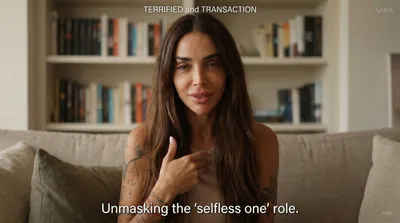
Stop calling your lack of boundaries 'being nice.'
Stop masking your fear of rejection as kindness and start reclaiming your energy through radical, honest boundaries.
Reference source (featured reference): 🎉 MARCH 24TH my book “Reparenting the Inner Child” comes out and I can promise you all this one is jam packed with info and a complete guide to healing. Lea…
Production cues
- The matched scripts stay concise: around 4 beats from opener to CTA.
- Execution stays practical with Dimly lit home studio and Window view of city street and Home interior / Professional-looking minimalist workspace.
- The examples create a direct bridge from role strategy to concrete deliverables teams can review, approve, and film.
Adaptation notes
- Use these scripts as proof of what the workflow can produce for a client or team.
- Swap the niche-specific details while preserving the hook structure and beat order.
- Review the linked analysis before filming so the sample plan stays tied to a real creative reference.
Start Planning This Week
Paste your Instagram or TikTok profile URL to get a niche reference feed, then turn the strongest signal into scripts and shot plans built for your role.