Batch Filming for Freelance Social Media Managers
An operational workflow for batch filming with clear inputs, decision criteria, and approval checkpoints.
Turn this page into a campaign built for your brand.
Connect Superdirector to ChatGPT and it adds current social-video references, public-video analysis, Brand DNA, and a ready-to-send campaign brief.
By Bell Chen, founder of Superdirector — how the analysis works.
Overview
Freelance social media managers who film one video per client per day spend the week on setup and re-creates instead of clients and strategy. This workflow shows how to script, plan, and shoot five to ten videos in a single session, so the weekdays stay free for the work that pays.
Where This Helps Freelance Social Media Managers
Freelance social media managers face a hard scaling challenge: every hour spent on operations is an hour not spent on client work, and there is often no team to delegate to. Freelancers with steadier client rosters usually rely on workflow systems that let them deliver consistent quality without adding proportional hours for every account. Without those systems, each new client creates the same research, planning, approval, and reporting load from scratch. Structured workflows with visible process steps and data-backed recommendations also help solo operators show strategic depth without pretending to be a full agency.
This workflow is built for solo operators and small freelance teams (1-3 people). Every step is designed to reduce active time while keeping client-facing work clear and useful. You will find strategies for deliverables that demonstrate professional process, techniques for batching similar tasks across clients, and frameworks for pricing workflow-based services so scope and value are easier to explain.
Workflow Steps
Multi-Client Script Batching
Generate scripts for multiple clients in a single planning session, each matched to the client's brand profile and niche. Organize the resulting scripts by filming setup — background, lighting, wardrobe — so you minimize changes during the shoot day. A fitness client and a wellness client might share similar setups, letting you film both in the same block.
Shot List Organization
Detailed shot lists with specific framing (close-up, medium, wide), angles (eye-level, low, high), and camera movements (static, push-in, pan) for every script. Group shots by setup requirements across clients so all videos needing the same lighting and background are filmed consecutively, eliminating the 15-minute setup change between every take.
Storyboard Previews
Visual storyboards for each script so you can verify the creative vision before filming and share with clients for pre-approval. Catch issues in pre-production — a framing that does not work, a transition that needs a different setup, a shot that requires equipment you do not have — before you waste filming time discovering them on set.
Filming Day Planner
Organize multiple client shoots into an optimized filming schedule that minimizes setup changes, groups similar wardrobe and background requirements, and sequences scripts for strong output. The planner estimates time per script based on complexity, helping you schedule realistic filming days that do not run 3 hours over.
Use Cases
- Film 10-15 videos for multiple clients in a single 4-6 hour batch session with every script, shot list, and setup change pre-planned.
- Group client content by filming setup — background, lighting, wardrobe — to reduce the 15-20 minutes of dead time typically lost between takes.
- Prepare complete shot lists for every video so you never forget a critical angle, B-roll shot, or transition setup that would require a costly reshoot.
- Show clients professional storyboards before filming to align expectations and get pre-approval, reducing the risk of post-filming revision requests.
Sample Scripts For This Workflow
These examples show what this role workflow should produce once strategy is converted into production-ready scripts.
Matched scripts for this role usually stay around 4 beats, remain executable in Dimly lit home studio and Window view of city street and Home interior / Professional-looking minimalist workspace, and keep decisions grounded in references such as pablostanley.
Script examples
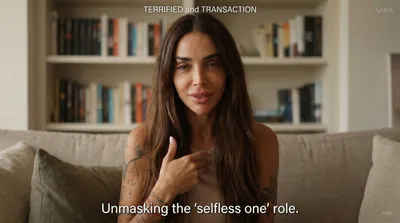
Stop calling your lack of boundaries 'being nice.'
Stop masking your fear of rejection as kindness and start reclaiming your energy through radical, honest boundaries.
Reference source (featured reference): 🎉 MARCH 24TH my book “Reparenting the Inner Child” comes out and I can promise you all this one is jam packed with info and a complete guide to healing. Lea…
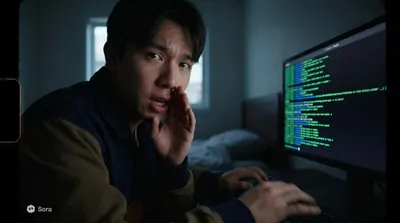
I wanted to see if I could rewrite reality using just my code.
A solo developer bridges the gap between code and physical reality using a real-time AI overlay.
Reference source (featured reference): you can use @efectodotapp not just to design apps or websites but any visual assets, and since you can connect it to your codebase, it knows your brand/style b… by @pablostanley
Production cues
- The matched scripts stay concise: around 4 beats from opener to CTA.
- Execution stays practical with Dimly lit home studio and Window view of city street and Home interior / Professional-looking minimalist workspace.
- The examples create a direct bridge from role strategy to concrete deliverables teams can review, approve, and film.
Adaptation notes
- Use these scripts as proof of what the workflow can produce for a client or team.
- Swap the niche-specific details while preserving the hook structure and beat order.
- Review the linked analysis before filming so the sample plan stays tied to a real creative reference.
Plan Your Next Filming Day
Paste your Instagram or TikTok profile URL to get a niche reference feed, then turn the strongest signal into scripts and shot plans built for your role.